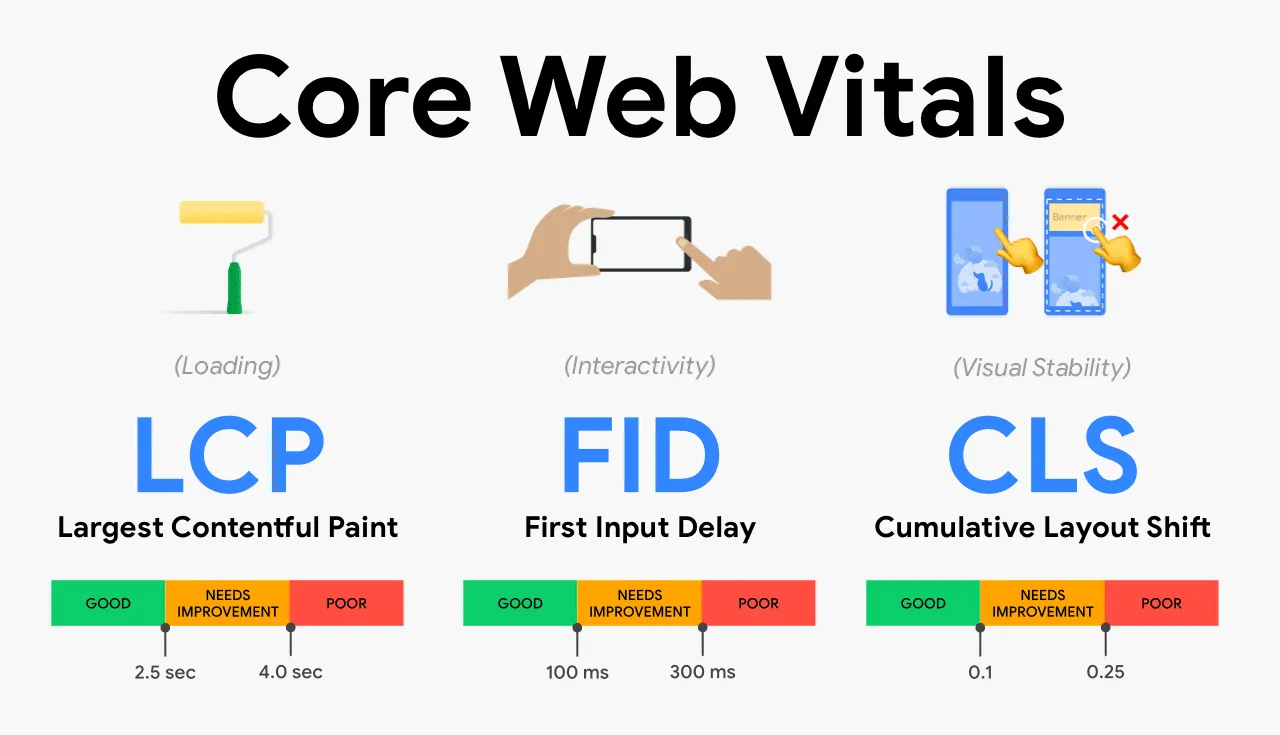

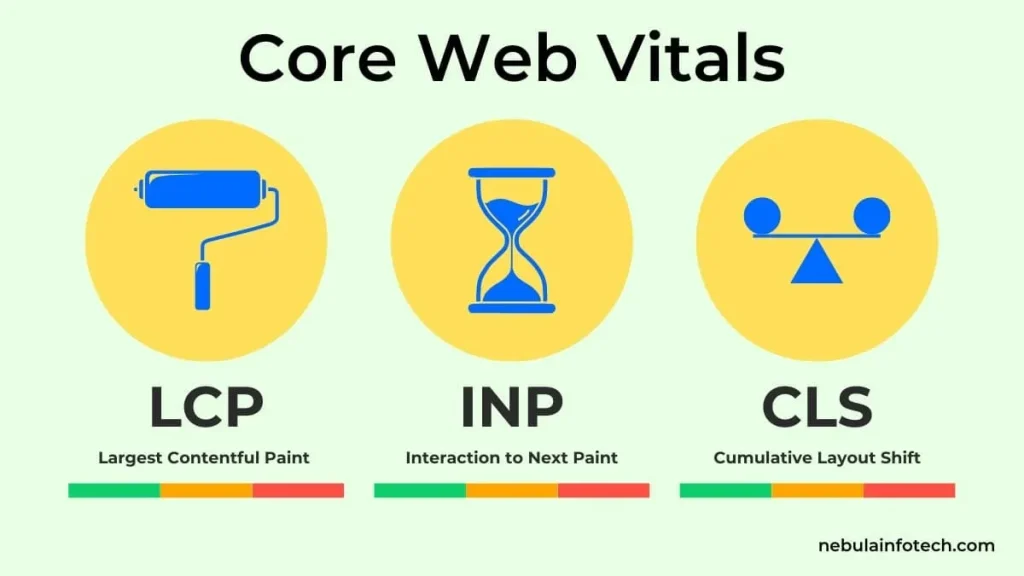
Core Web Vitals are a set of three Google metrics that measure the real user experience on a page: loading speed (LCP), responsiveness to interactions (INP) and visual stability (CLS). They are part of Google’s ranking signals and directly affect both rankings and conversions.
Key points in 30 seconds
- Three metrics: LCP (loading), INP (interactivity), CLS (layout stability).
- The “good” zone: LCP ≤ 2.5 s, INP ≤ 200 ms, CLS ≤ 0.1.
- They are assessed using field data from real users (CrUX), not just lab tests.
- Diagnostics: PageSpeed Insights and Google Search Console (the Core Web Vitals report).
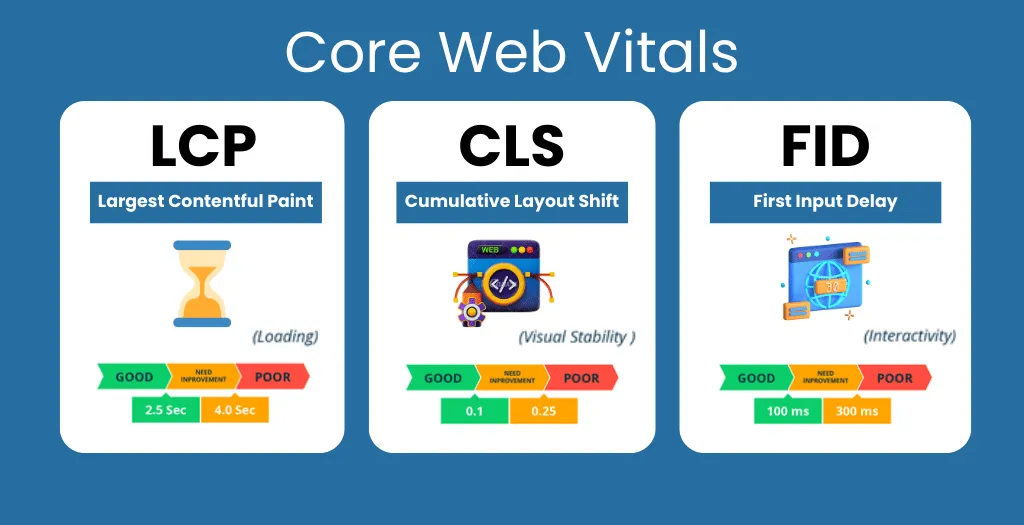
- Since March 2024, INP has replaced the earlier FID metric.
What Core Web Vitals are and why they matter
Core Web Vitals (CWV) are the three key metrics from the broader Web Vitals set that Google uses to evaluate page usability. They don’t measure how “pretty” a site is but how a real person experiences using it: whether the main content appeared quickly, whether the page reacted instantly to a click, whether the layout “jumps” under their finger.
Since 2021, Core Web Vitals have been part of the Page Experience system and one of the ranking factors. On its own it is not the strongest factor: all else being equal, a site with good metrics will outrank a competitor, but perfect speed won’t push weak content into the top. At the same time, poor metrics hurt not only rankings but the business directly: a slow page loses visitors before they even see the offer.
An important detail: Google evaluates the metrics using field data, statistics from real Chrome users (the CrUX report) over the last 28 days. That is why a one-off lab test and the assessment in Search Console can differ.
LCP, Largest Contentful Paint: loading speed
LCP shows how many seconds it takes to load and render the largest visible element in the viewport, usually the main image, a banner or a large block of text. The metric answers the user’s question “when will this page become useful?”
Thresholds: “good” up to 2.5 seconds, “needs improvement” from 2.5 to 4 seconds, “poor” over 4 seconds.
How to improve LCP:
- Optimize images: modern formats (WebP, AVIF), compression, correct sizes for the container.
- Set up caching and use a CDN so content is served from the nearest server.
- Remove heavy render-blocking scripts and styles; inline critical CSS.
- Speed up server response time (TTFB): fast hosting, database optimization, server-side caching.
- Use preload for the key image and fonts.
INP, Interaction to Next Paint: responsiveness
INP measures the delay between a user action (click, tap, key press) and the page’s visual response. The metric looks at all interactions during a session and takes the worst of them, reflecting how “alive” the interface feels. In March 2024, INP officially replaced the earlier FID (First Input Delay) metric, which only counted the first interaction.
Thresholds: “good” up to 200 milliseconds, “needs improvement” from 200 to 500 ms, “poor” over 500 ms.
How to improve INP:
- Shorten and break up long JavaScript tasks that block the main thread.
- Remove or defer unused third-party scripts (chats, analytics, widgets).
- Use lazy loading and load resources on demand.
- Move heavy computations to web workers.
- Minimize work in event handlers: don’t recalculate the whole page on every click.
CLS, Cumulative Layout Shift: layout stability
CLS records how unexpectedly page elements shift during loading. A familiar situation: you are about to tap a button, a banner loads in at the top, everything slides down and your finger lands on an ad. Such shifts are annoying and erode trust, and that is exactly what CLS penalizes.
Thresholds: “good” up to 0.1, “needs improvement” from 0.1 to 0.25, “poor” over 0.25. This is a unitless score, not seconds.
How to improve CLS:
- Set explicit dimensions (width/height) for images and videos so space is reserved for them.
- Reserve space for ad slots and embedded elements in advance.
- Don’t insert new content above content that is already visible (except in response to a user action).
- Load fonts carefully (font-display, preload) to avoid text “jumping” when the font is swapped.
Core Web Vitals thresholds: summary table
| Metric | What it measures | Good | Needs improvement | Poor |
| LCP | Loading speed | ≤ 2.5 s | 2.5–4 s | > 4 s |
| INP | Responsiveness | ≤ 200 ms | 200–500 ms | > 500 ms |
| CLS | Layout stability | ≤ 0.1 | 0.1–0.25 | > 0.25 |
For a page to pass the assessment, all three metrics must be in the “green” zone at the 75th percentile of users.
How to check Core Web Vitals
- PageSpeed Insights: the main tool. It shows both field data (CrUX, real users) and a lab test (Lighthouse) with specific recommendations.
- Google Search Console: the Core Web Vitals report groups URLs by status and shows trends across the whole site.
- Chrome DevTools and the Web Vitals extension: for debugging right in the browser.
- Chrome UX Report (CrUX): the raw field data.
Start with field data: that is what Google uses for ranking. Lab data helps you understand the cause but doesn’t replace real-world statistics. A detailed look at the tools is in a separate article on free SEO tools.
Field vs. lab data: why the numbers differ
A lab test (Lighthouse) runs the page under controlled conditions: a set network speed and a specific device. Field data (CrUX) is collected from real users with different phones, connections and behavior. That’s why Lighthouse can show “green” while the field data shows “yellow”. When working on rankings, rely on field data and use lab data for diagnostics.
A typical situation: a developer shows a score of 95 in PageSpeed, while Search Console flags the same pages as “needs improvement”. There is no contradiction here. Lighthouse takes a single measurement on an emulated phone, while CrUX uses the 75th percentile of real visitors over the last 28 days. If your audience mostly uses budget Android phones and mobile internet, field numbers will almost always be worse than lab numbers.
The practical takeaway: after making fixes, don’t expect the report to turn green the next day. Data accumulates over four weeks, so it makes sense to assess the result after about a month.
Common mistakes
- Chasing a Lighthouse score of 100 instead of real metrics. The Lighthouse score is not the same as Core Web Vitals; you can have 100 points and a red CLS in the field.
- Optimizing only for desktop. Google evaluates the mobile version, so test that first.
- Ignoring third-party scripts. Chats, pixels and widgets are often what drags INP down.
- A one-time fix instead of ongoing control. Metrics fluctuate: you need regular monitoring, not a one-off optimization.
Core Web Vitals are an important part of a site’s technical health, but not the only one. The full picture comes from a technical SEO audit, which checks speed together with indexing, duplicates and structure. Technical health is the foundation, but rankings also depend on external authority: without link building even a perfectly fast site may not break through in a competitive niche.
Want to understand what is slowing down your site specifically and fix it with the biggest payoff? Order a technical SEO audit: we’ll measure Core Web Vitals using real data, find the bottlenecks and give you a step-by-step improvement plan. Prices are approximate and depend on the niche, volume and competition; we’ll calculate the exact cost for your project.