
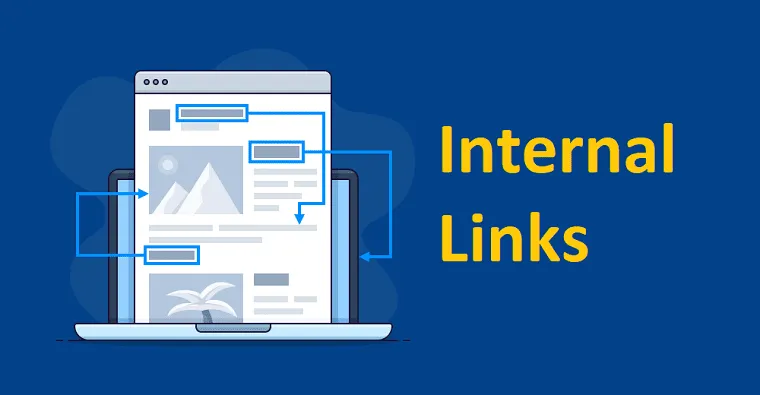
Internal linking means links that lead from one page of a site to another page of the same site. Its job is to distribute link equity: channel authority from strong pages to the ones you need to push into the top, help the crawler find and index content, and build a clear structure. Smart internal linking often lifts rankings without a single new backlink, simply by redistributing the equity the site has already accumulated.
Key points in 30 seconds
- Internal links pass equity between pages and help the crawler move through the site.
- Models that work for most projects: hierarchy (pyramid) and silo (topic clusters).
- Priority pages are boosted with more incoming links from relevant sections and from the body of articles.
- Common mistakes: sitewide blocks, loops and orphan pages with no incoming links.
- Breadcrumbs and a well-planned structure are part of internal linking, not a separate task.
What internal linking is and why it distributes equity
Every page has its own “weight”: put simply, the share of authority it has gained through backlinks and its place in the structure. A page passes part of that weight on through its outgoing internal links. The more relevant internal links point to a given page, the more equity it receives and the better its chances of ranking.
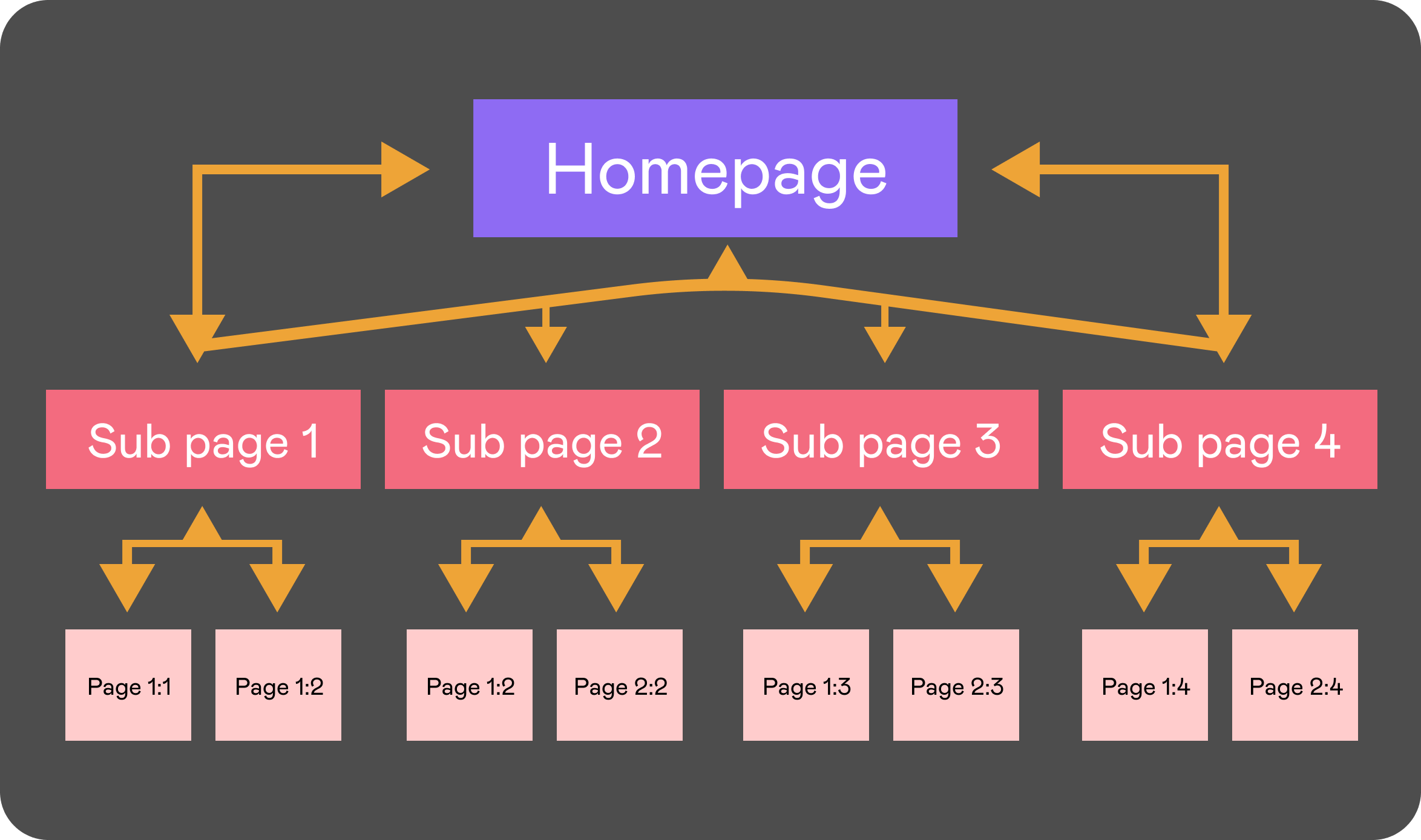
The strongest page on a site is usually the homepage: it gets the most backlinks and is reachable from anywhere on the site. So the logic is simple: collect equity on strong nodes (the homepage, top-level sections) and deliberately “pour” it into priority pages that bring revenue or traffic. Internal linking is how you manage these flows.

Internal linking models: hierarchy, silo, “wheel” and “star”
There is no single right model: the choice depends on the size of the site and your goals. Below are the basic models and when they fit.
| Model | How it works | When it fits | Risk |
| Hierarchy (pyramid) | Home → sections → subsections → pages; equity flows top-down | Most sites, catalogs, service sites | Lower pages get little equity without a boost |
| Silo (clusters) | Pages grouped by topic; links stay mostly within the cluster | Content sites, blogs, multi-topic projects | Strict isolation gets in the way of related topics |
| “Wheel” | Pages link in a circle, equity moves along the chain | Small groups of equally important pages | Closed loops trap equity |
| “Star” (hub) | A core hub page with links to and from it | Pillar articles, topic hubs | Peripheral pages are weakly connected to each other |
| Flat | Almost every page links to almost every other page | Very small sites (up to ~20 pages) | Doesn’t scale, equity gets diluted |
In practice sites combine models: the overall framework is a hierarchy, while inside sections silo clusters do the work, reinforced by hub articles.
How to boost the pages that matter
To “boost” a page with internal linking means to increase the number and quality of internal links pointing to it. Here is the order of steps:
- Identify priority pages: the ones that bring leads and sales (categories, landing pages, services).
- Link to them from topically related articles in the body text, not just from the menu. A contextual link carries more weight than a sitewide one.
- Use relevant but varied anchors without stuffing commercial phrases (more in our article on anchor text).
- Move priority pages closer to the homepage: the goal is no more than 3 clicks away from it.
- Remove “competitors”: if several pages fight for one query, keep one target page and send equity to it.
It’s important to understand the division of roles: backlinks bring new equity to the site, and internal linking distributes it inside. That is why link buying and internal linking are planned together; otherwise the authority you paid for settles on the wrong pages. We cover how to build the external part in our guide to link building.
Breadcrumbs and site structure
Breadcrumbs are a navigation trail like Home → Section → Page. They don’t just help users: they pass equity up the hierarchy, strengthen topical connections and often appear in the search snippet. For stores and large catalogs they are a must-have element.
The site structure itself is the foundation of internal linking. Logical sections, a depth of no more than three levels, human-readable URLs and no “orphans” (pages without incoming links) make equity flow predictably. This is especially critical for online stores with thousands of product pages, where the structure decides whether products get indexed at all (see our article on SEO for online stores).
Common internal linking mistakes
- Sitewide blocks. Hundreds of identical links from the footer or sidebar dilute equity and look templated. Keep only the necessary navigation in sitewide blocks.
- Loops with no exit. When a group of pages links only to each other, equity gets trapped and never reaches priority sections.
- Orphan pages. A page with no incoming internal links is almost invisible to the crawler and gets indexed slowly; internal links are exactly what helps speed up indexing.
- Over-optimized anchors. The same commercial anchor on dozens of internal links is a manipulation signal.
- Too many links on a page. The more outgoing links, the less equity each one gets. Stay focused.
- Links to 404s and redirect chains. Equity gets lost along the way; clean up broken internal links regularly.
Site structure example breakdown
Take a service business site with a blog. The framework is a hierarchy: the homepage links to service pages (the priority, commercial pages) and to the blog section. Blog posts are grouped into silos by topic and link from the body text to the relevant service with a relevant anchor, so informational traffic flows into commercial sections. A pillar article works as a hub: it gathers subtopics around itself and passes equity to them, while being boosted by backlinks itself.
The result: the homepage and service pages collect equity from navigation and breadcrumbs; the blog sends both topical equity and clicks to services; and no important page is left as an “orphan.” The easiest way to check whether your site is set up like this is during a technical audit.
Internal linking audit checklist
- All priority pages are no more than 3 clicks from the homepage.
- Every important page has incoming contextual links, not just menu links.
- There are no orphan pages without incoming links.
- Internal link anchors are varied and relevant, without over-optimization.
- Breadcrumbs are set up on all nested pages.
- There are no internal links to 404s and no redirect chains.
- Sitewide blocks aren’t bloated with unnecessary links.
If your site structure grew haphazardly, equity is almost certainly leaking to the wrong pages. We find these bottlenecks during a technical SEO audit and show what to boost with internal links and what with backlinks: get an audit quote or discuss link building for your project.