
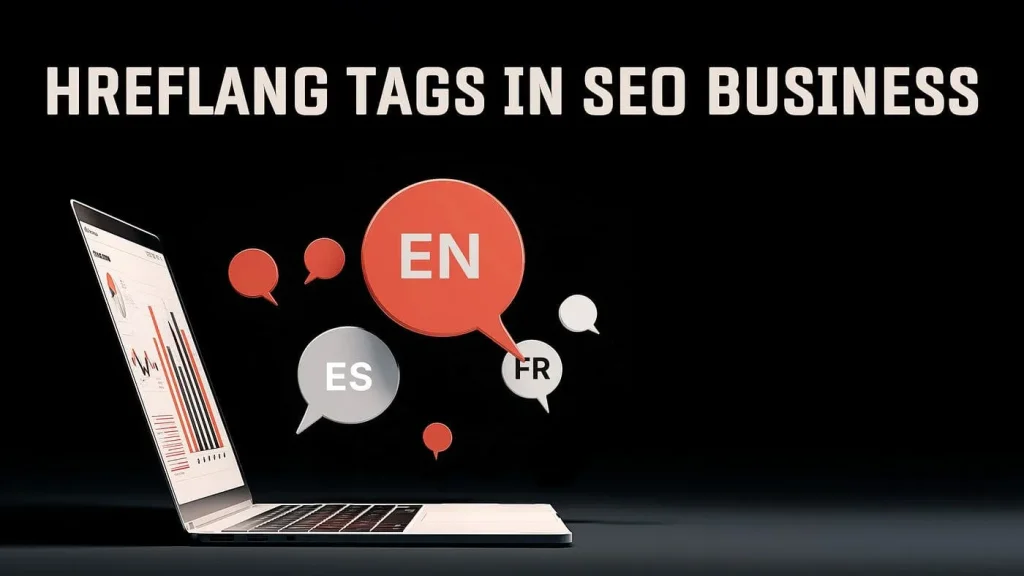
hreflang is an attribute that tells Google which language and region a specific page is written for, so the search engine shows users the right language version. If a site has several versions (for example, Ukrainian and Russian), without hreflang Google may confuse them, merge them or show the wrong version in search results. It can be set up in three ways: with a tag in the head section, with an HTTP header or through the sitemap file.
Key points in 30 seconds
- hreflang tells Google the language and region of a page. It’s a hint, not a strict directive: the search engine weighs it along with other signals.
- The attribute must be reciprocal: if page A points to B, then B must point to A. One-way links are ignored.
- Three implementation methods: an HTML tag in the head, an HTTP header (for PDFs and other non-HTML files), the sitemap (convenient with a large number of URLs).
- Every page must also point to itself. This self-reference is mandatory.
- For Ukrainian sites with UA and RU versions, hreflang removes the risk of language cannibalization in search results.
What hreflang is and why you need it
The rel=”alternate” hreflang=”x” attribute was introduced to solve one problem: a page has several language or regional versions, and the search engine needs to show each user the right one. A resident of Lviv searching in Ukrainian should land on the UA page; a user searching in Russian should get the RU version of the same content.
It’s important to understand that hreflang doesn’t boost rankings by itself. It’s not about ranking but about which of the versions that already rank Google will show to a specific user. Indirectly, this improves behavioral metrics: people see the page in their own language right away, return to the SERP less often, and that does affect the overall result.
A common question is how hreflang differs from canonical. Canonical says “this is the same page, index this one”. hreflang says “these are different but equivalent versions for different languages, index all of them but show the right one”. Don’t mix them up: the canonical of a language version must point to itself, not to the version in another language.

hreflang syntax: code examples
Method 1. Tags in the head section
The most common option. The head of each page lists all of its language versions, including the page itself:
<link rel=”alternate” hreflang=”uk” href=”https://example.com/ua/hreflang” />
<link rel=”alternate” hreflang=”ru” href=”https://example.com/hreflang” />
<link rel=”alternate” hreflang=”en” href=”https://example.com/en/hreflang” />
<link rel=”alternate” hreflang=”x-default” href=”https://example.com/ua/hreflang” />
The language code follows ISO 639-1; if needed, a region code per ISO 3166-1 Alpha-2 is added after a hyphen, for example en-US or en-GB. The key trap: Ukrainian is uk, not ua. The code “ua” refers to Ukraine as a country/region, not to the language. Russian is ru.
The x-default value specifies the default page, shown to users whose language doesn’t match any of the versions. Usually this is the main language version or a language selection page.
Method 2. HTTP header
For files without a head section (PDFs, documents), hreflang is passed in the server’s HTTP response:
Link: <https://example.com/ua/file.pdf>; rel=”alternate”; hreflang=”uk”,
<https://example.com/file.pdf>; rel=”alternate”; hreflang=”ru”
Method 3. Via the sitemap
With a large number of pages, it’s easier to describe the relationships in the XML sitemap, so you don’t have to edit the head of every page. For each URL, all of its versions are listed using xhtml:link elements:
<url>
<loc>https://example.com/ua/hreflang</loc>
<xhtml:link rel=”alternate” hreflang=”uk” href=”https://example.com/ua/hreflang”/>
<xhtml:link rel=”alternate” hreflang=”ru” href=”https://example.com/hreflang”/>
<xhtml:link rel=”alternate” hreflang=”en” href=”https://example.com/en/hreflang”/>
</url>
Pick one method and stick to it across the whole site; there’s no need to duplicate hreflang in both the head and the sitemap.
URL structure for a multilingual site: domains, subfolders, subdomains
Before setting up hreflang, you need to decide how to separate languages at the URL level in the first place. There are four approaches, each with its own balance of SEO value, cost and convenience.
| Approach | Example | Pros | Cons |
| Separate domains (ccTLD) | site.ua / site.pl | Strongest geo signal; clear separation | Expensive; each domain’s authority is built separately |
| Subdomains | uk.site.com | Flexibility; separate configuration | Link equity flows worse than within one domain |
| Subfolders | site.com/ua/ | All link equity on one domain; cheap | One server/default geo |
| URL parameters | site.com/?lang=uk | Technically simple | Not recommended by Google; indexes worse |
For most projects, including Ukrainian ones, subfolders are the best choice: all link equity accumulates on one domain, and languages are separated cleanly and cheaply. Separate domains make sense when you need strong geotargeting for different countries and have the budget to run several sites. Avoid URL parameters for languages.
A special case for Ukraine: UA and RU on one site
The Ukrainian market is almost always bilingual: people search for the same service in both Ukrainian and Russian. Keeping both versions makes sense, but this is exactly where language cannibalization arises. If the UA and RU versions live at the same URL (or Google doesn’t realize they’re language pairs), they start competing with each other for the same keywords: the search engine doesn’t know which one to show, and both drop.
The correct setup for a bilingual site: (1) each version has its own separate URL (for example, RU at the root, UA in the /ua/ folder); (2) reciprocal hreflang between the uk ↔ ru pair; (3) a self-canonical on each version; (4) all content is translated, not just the menu. Then Google sees two equivalent pages for different languages and stops confusing them. More on page competition itself in our article on duplicate content and keyword cannibalization.
Common hreflang mistakes
- The code “ua” instead of “uk”. The most frequent mistake on Ukrainian sites: Ukrainian requires uk.
- No return link. Page A points to B, but B doesn’t point to A. Google ignores such a one-way relationship completely.
- No self-reference. The page doesn’t list itself among the versions: the hreflang set is considered incomplete.
- hreflang pointing to non-canonical URLs. Links lead to redirects, parameterized pages or noindex pages instead of clean canonical URLs.
- Conflict with canonical. The canonical of a language version points to the version in another language, which “breaks” hreflang.
- Relative URLs. href needs absolute URLs with the https protocol, not /page.
- Inconsistent pairs. Different pages in the cluster list different sets of versions, so the relationships break.
How to check hreflang
After implementation, always check the markup: hreflang errors are almost always “silent” and invisible to the naked eye. What to use:
- Google Search Console: tracks indexing errors and coverage of language versions; warnings about markup problems also show up here. How to connect it and read the reports is covered in a separate Search Console guide.
- hreflang validators: online tools check link reciprocity and the correctness of language codes for a specific URL.
- Crawlers (Screaming Frog and similar): export all hreflang tags across the site and flag missing return links and self-references in bulk.
hreflang is part of a site’s technical foundation, along with robots.txt, the sitemap and canonical tags; it makes more sense to check them together (see our article on technical SEO). If you have several language versions and aren’t sure the relationships are set up correctly, it’s wiser to order a technical SEO audit: it will catch broken hreflang pairs, conflicts with canonical and indexing errors all at once.
Multilingual and international SEO is only one layer of promotion; how backlinks and off-page optimization affect results overall is covered in the core guide what is link building.
Summary and next step
Correct hreflang means reciprocal links between all versions, correct language codes (uk, not ua), a self-reference on every page and separate clean URLs for each language. Mistakes here don’t crash a site overnight, but they eat away at traffic for months through cannibalization and showing the wrong version. If you have a bilingual or multilingual site and doubts about the setup, order a technical SEO audit to check hreflang, URL structure and indexing for all languages at once.Prices are approximate and depend on the niche, scope and competition; we’ll calculate the exact cost for your project.