
A SERP (Search Engine Results Page) is the page of search results Google shows in response to a user’s query. It used to be “ten blue links,” but today it’s a complex showcase: ads, maps, images, videos, featured snippets, the People Also Ask box and AI Overviews. You need to understand how a SERP is built so you can compete not for an abstract “first position” but for the specific spot that actually brings clicks.
Key points in 30 seconds
- SERP: the Google search results page for a single query.
- Snippet: your site’s listing in search results, with a title, URL and description.
- Featured snippet: a direct answer in a box above the organic results, also called “position zero.”
- People Also Ask: a box of related questions that expands the SERP and gives you content ideas.
- AI Overviews take away some clicks: the share of impressions without a visit to the site is growing.
What a SERP is, in simple terms
SERP stands for Search Engine Results Page. It’s everything you see after typing a query and hitting search: paid ads, organic results, special boxes and interactive elements. Google builds a unique SERP for each query, so the results for a commercial query and an informational one will look completely different.
Search results are split into two big layers. Paid: ads labeled “Sponsored,” where the advertiser pays per click. Organic: results Google ranks for free based on relevance and authority. SEO works with the organic part, and backlinks are one of the key factors that help pages climb above competitors.
Another important split is classic vs rich results. Classic results are the familiar text listings. Rich results add visual and interactive elements: star ratings, prices, images, videos, maps, quick answers. The richer your snippet, the more it stands out in the SERP and the higher its CTR.
What a SERP is made of: SERP features
If you mentally break down a typical results page from top to bottom, it usually looks like this. At the very top: AI Overviews (an AI-generated answer) or an ad block. Below that there may be a featured snippet with a ready answer. Then come the organic results: regular site snippets, with the People Also Ask box, images, videos and a local pack with a map and reviews mixed in between. On desktop, a Knowledge Panel with facts about a brand or entity often appears on the right.
Each of these elements is a separate chance to make it onto the first screen, even if your site isn’t the top organic result. Below is a map of the main SERP features and what each one gives you.
| SERP feature | What it is | What it gives a business |
| Ads | Paid ads at the top and bottom of the page | Fast traffic, but only while you pay |
| AI Overviews | An AI-generated answer on top of the results | Brand exposure, but often without a click |
| Featured snippet | An answer in a box above the organic results | “Position zero,” maximum attention |
| Organic snippet | A regular result: title, URL, description | The main source of free traffic |
| People Also Ask | An expandable list of questions | Extra visibility and content ideas |
| Local pack / map | A map with businesses and reviews | Local customers, calls, directions |
| Knowledge Panel | A card about a brand or entity on the right | Trust and brand recognition |
What a search snippet is
A snippet is your page’s listing in the search results: how your site is presented to the user. A classic snippet has three parts: a clickable title (Google usually takes it from the title tag), the page URL or breadcrumbs, and a short description (usually from the meta description or a relevant piece of the text).
A snippet is your “ad” in organic search: it’s what people use to decide whether to click. That’s why working on your title and description directly affects CTR; there’s more on this in the article on title, description and H1 meta tags. Google doesn’t guarantee it will use your description, but accurate, well-written meta tags improve the odds and make the snippet more appealing.
A rich snippet adds extra data to the listing: a star rating, price, stock status, cooking time, date. Technically it comes from Schema markup, so implementing it is a cheap way to make your snippet stand out and improve CTR without any ranking gains.
What a featured snippet is
A featured snippet is a box with a ready answer that Google shows above the organic results. The system extracts the passage from a page that best answers the question and puts it at the top, along with a link to the source.
There are several featured snippet formats:
- Paragraph: a short text answer to “what is,” “why” and “how” questions.
- List: numbered (for instructions and steps) or bulleted (for enumerations).
- Table: when the answer works best as a comparison or row-by-row data.
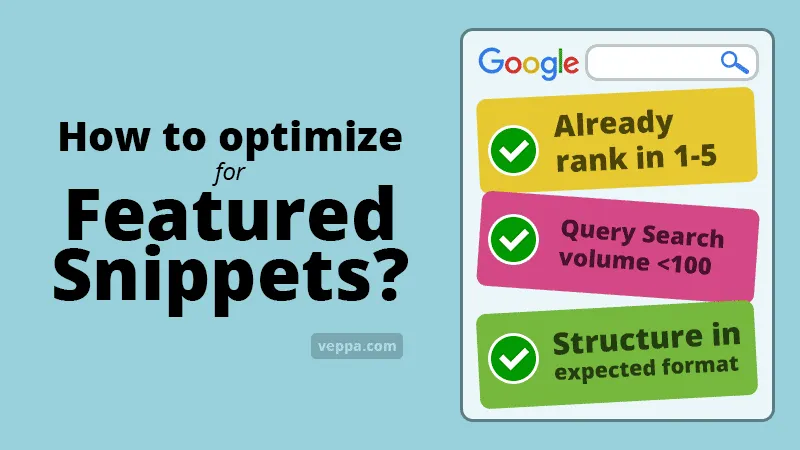
To compete for a featured snippet, give a direct, concise answer in the first paragraph right under the heading (2–3 sentences, 40–60 words), structure the content to fit the question format (lists for steps, tables for data), and use the question itself and its synonyms in subheadings. Page authority helps too: Google is more willing to pull an answer from a trusted site, and trust is built largely on a quality link profile.
What position zero is
Position zero is the featured snippet spot: a result that sits above the first organic listing, so it’s “zero” in the count. The term stuck because getting there is worth more than first place: people see your answer before any competitor’s.
Position zero has a downside. If the user gets a complete answer right in the SERP, they may not visit the site at all; this is called zero-click search. So for position zero, give an answer good enough to be chosen as the source, but leave the details, examples and next steps for people to find on your page.
What People Also Ask is
People Also Ask (PAA) is an expandable box with questions related to your query. The user clicks a question and a short answer with a link to the source opens below it. The list is dynamic: the more questions people expand, the more new ones load.
PAA is useful for SEO in two ways. First, it’s another entry point into the SERP, since the answers in the box also link to sites. Second, it’s a free source of real questions from your audience: collect them and you get a ready structure for your FAQ and H2 subheadings that cover the search intent. Answering PAA questions directly in your article is one of the most reliable ways to expand your reach.
AI Overviews and falling CTR
AI Overviews are AI-generated summary answers that Google shows above the results for some queries. They pull information from several sources and produce a ready text with links. That’s convenient for users, but for websites it’s the biggest change of recent years: some clicks disappear because people get the answer without visiting any page.
In practice, this hits CTR on informational queries: impressions stay the same or grow, but clicks drop. Short factual queries that AI can answer in a couple of lines suffer the most. Commercial and complex queries are less affected, because the user still needs to compare, choose and click through.
What to do about it is a topic for a separate breakdown: to see how traffic is changing, read the article on how AI Overviews affect traffic, and for how to restructure content so AI cites it, see our piece on GEO. The general principle: create content that AI wants to cite (facts, structure, expertise), and at the same time target queries where a click to your site is still unavoidable.
Your position in the SERP is a result of your site’s authority, and you can’t build authority without backlinks. If you need to raise trust and rankings systematically, start with an SEO audit to find the weak spots, then strengthen your pages with link building services, crowd links and outreach for your priority queries.
To dig deeper into the topic, see the related articles: what is link building, a basic guide to off-page SEO; analytics: organic traffic, CTR and bounce rate, on how to measure the impact of search results; and the general SEO glossary with all the definitions.
Want your pages to take not only the top spots but also position zero with featured snippets? Leave a request: we will work out a promotion strategy and pick links for your queries on the link building services.