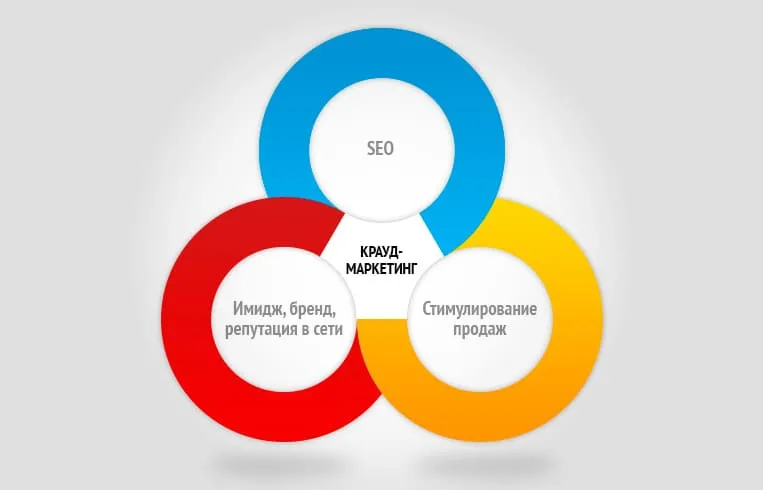

Forum link placement is a type of crowd marketing: you leave a useful comment in a live discussion and work a link to your site into it where it fits. The link works when the post actually helps people in the thread instead of reading like an ad. Below: how to find sites, pick the live ones, write comments that don’t get deleted, and how much time this takes in practice.
Key points in 30 seconds
- Forum links are part of crowd marketing: they bring visits from a real audience and make your link profile look more natural.
- You find sites with Google search operators, then filter out abandoned and spammed ones.
- The comment has to be valuable on its own: the link is secondary and only goes in where it’s relevant.
- A bare link or a direct ad gets you banned; real help plus a relevant link passes moderation.
- It’s labor-intensive: 10–15 quality placements a week take several hours of manual work.
What forum links are and when they work
A forum link is a mention of your site inside a discussion on a niche forum, in a review thread, or on a Q&A service. Mechanically, it’s classic crowd marketing: the value comes not from the link itself but from the live context around it, a real question you’re answering. We covered the mechanics in detail in “What Is Crowd Marketing”.
Forum links do two jobs at once. The first is targeted referral traffic: someone reads the thread, sees a relevant recommendation, and clicks through to your site. The second is diluting your link profile: next to guest posts and directories, natural forum mentions look organic and lower the share of commercial anchors. These links fail in one case only: when the comment is written for the sake of the link, not the answer.
In the broad sense, forum platforms include not just classic forums but also review sites, Q&A platforms like Reddit and Quora, and niche communities on Telegram and Facebook. The selection and posting principles are the same for all of them: a live audience, active moderation, and a useful message. Only the format differs: in one place it’s a phpBB thread, in another a voting-based thread, but the crowd marketing logic stays the same.


How to find forums for link placement: Google operators
Manual site discovery starts with search operators: they narrow the results to pages where your topic is being discussed. The basic set:
| Operator | What it finds | Example |
| topic forum | forums on your topic | apartment renovation forum |
| inurl:forum topic | URLs containing the word forum | inurl:forum orthodontics |
| intitle:forum topic | forums in the page title | intitle:forum car service |
| topic “leave a comment” | pages with open comments | choosing braces “leave a comment” |
| site:forum-domen.com topic | search inside a specific forum | site:otzovik.com clinic |
| topic inurl:viewtopic | discussion threads on phpBB | car service inurl:viewtopic |
Combine operators: for example, inurl:forum plus a city name narrows results to regional sites. For a local business, add the city or district to the query. That way you find local forums and city portals where people discuss your specific area, and a link from there strengthens your local rankings.
It pays to match operators to the forum engine. According to our check of 16.5k forums in October 2026, the most common platforms are: phpBB at 36%, phpBB with an SEO mod at 12%, uCoz at 10%, XenForo, Invision 4 and SMF at 6% each, and WordPress-based forums at 5%. So besides inurl:viewtopic (phpBB), useful patterns include inurl:threads (XenForo), inurl:topic (Invision, SMF) and inurl:forum (uCoz).
Once you have a list, check the sites for activity (more on that below). Another source of donors is forums where your competitors already post: export their link profile and pick out the forum domains. How to do this and which metrics to use for selecting sites is covered in the guide “How to Check Site Trust and Choose a Donor”, and the export itself is explained step by step in our article on competitor backlink analysis.
How to tell a live forum from a dead one: criteria
A large share of the forums in the results are abandoned or spammed sites where a link is useless or harmful. If the hottest thread on a forum is still debating which Nokia to buy, the only one reading your link will be the cobwebs. Signs of a live forum:
- Fresh posts. The target sections have posts from the last few days, not from 2019.
- Real members. Different people reply, not bots with identical link signatures.
- Active moderation. Spam threads get deleted, and advertising earns a warning.
- Indexing. The forum’s pages are in Google; check with the site: operator.
- Acceptable spam level. The domain isn’t flooded with outbound links to casinos and pharmacies. If the “Home Repair” section is full of sports betting ads, nobody there has talked about home repair in a while.
If a forum fails on freshness and moderation alone, cross it off: the link will either drop out of the index or drag your whole profile down. To check a domain’s spam level and outbound links, you can use our donor site checker.
What our check of 16.5k forums shows
To avoid picking sites “by eye”, we automatically checked 16,533 forums from public lists and our own database. The numbers show clearly at which stage most candidates drop out:
| Filter | Result | Takeaway for placement |
| Server responds | 14,869 of 16,533 (90%) | A site that loads guarantees nothing |
| New posts in the last 3 months | 58% of 7,872 forums with a visible date | Almost every second forum is effectively abandoned |
| External links in threads | None in 68% of 8,508 checked | Moderators delete or block links, so a placement there won’t survive |
| Open registration | 39% of 9,926 | Another 14% require accepting rules, 3% are closed, 44% return an error or are unclear |
| Captcha | reCAPTCHA 37%, no captcha 21% (of 4,736) | Captcha doesn’t stop manual work but filters out bots, which is a plus for the site |
| Language | uk 10%, ru 72%, en 16%, mixed uk+ru 3% | Only about 1,819 of 14,869 forums use Ukrainian (incl. mixed) |
Language matters a lot for Ukrainian sites. A link from a Russian-language thread to a Ukrainian-language page looks less relevant, and that audience converts less often. If there’s no Ukrainian-language niche forum, it’s better to pick a general regional forum with an active section on your topic than one that doesn’t match by language.
Registration and account warm-up
Your account is your reputation on the forum. A moderator looks first not at the text but at who wrote it: registration date, post count, how complete the profile is. So warm-up follows a simple routine:
- Register with a proper profile. A human-looking name or nickname, an avatar, a city, and a few words about yourself if relevant. A user called “seo_master_2026” on a parenting forum raises eyebrows before posting a single word. Use a dedicated mailbox, not a disposable one.
- Read the rules. Many forums (14% of those we checked) explicitly require accepting the rules during registration. Read the section on advertising and links before your first post.
- 3–5 posts without links. Reply in threads where you can help: a clarification, your experience, a useful tip. This builds a history and often unlocks link posting, which on some forums only becomes available after a certain number of posts.
- Pause. Wait at least a few days between registering and your first post with a link. An account that posts a link on the day it signs up looks like a spammer, even if the text is good.
Forum rules to check in advance
- Whether external links are allowed at all, and after how many posts.
- Whether there’s a separate section for ads or self-promotion; commercial links outside it get deleted.
- Whether signature links are allowed, and from which account status.
- Whether bumping old threads (necroposting) is banned; on some forums replying to a two-year-old thread counts as a violation.
5 rules for a comment that won’t get deleted
Moderators delete ads, not links. To keep your comment up, follow five rules:
- Answer the thread’s specific question. Read the thread and solve the author’s problem instead of pasting a template.
- Give value before the link. Most of the post should be a useful answer; the link only supplements it and isn’t the point of the message.
- Don’t drop a link in your very first post. On new accounts, make the first comments without links: build up a history.
- Keep the account alive. An avatar, a filled-out profile, activity in several threads. A throwaway account with a single link is the first candidate for a ban.
- Use a natural anchor. A link looks organic as “this was covered in detail here” or as a naked URL, not as a commercial anchor like “buy cheap braces”. Nobody talks like that in real life, not even orthodontists.
Where and how to place the link: anchor, target page, format
Technically, the link should be a regular <a href> tag, because that’s how Google sees it. In its official link best practices, Google recommends that anchor text be descriptive, relevant and concise. On a forum, that means the link text should explain what the person will see after clicking, not be a string of keywords.
| Anchor type | Forum example | When it fits |
| Naked URL | site.com/blog/choosing-an-implant | The most natural option for most replies |
| Branded | “Links-Buy has a breakdown of this” | When you recommend a company or service |
| Descriptive | “post-repair car inspection checklist” | When the link leads to an article or guide |
| Generic | “here”, “more details” | In conversational replies, occasionally |
| Exact-match commercial | “buy cheap braces” | Almost never on forums: it’s the main sign of an ad |
Pick the target page to match the question. On a forum, a link to an article, comparison or guide fits better than one to the home page or a product card: people are looking for an answer, not a catalog. Plan the anchor balance for the whole campaign in advance; our article on building an anchor text plan and the anchor text analyzer will help.
As for attributes, Google recommends that site owners mark links in forum posts with rel=”ugc”. So don’t be surprised if a forum adds ugc or nofollow automatically: it’s standard practice, and those links still bring clicks and a natural-looking profile.
Signature links: are they worth it?
A signature is a line shown automatically under every post you make. It sounds attractive: one setting, and the link appears in all your posts. But according to our check, among 1,611 forums with visible signatures, links in them are allowed on only 43%, and of those forums, 48% make them dofollow. On top of that, a signature repeats the same text across dozens of pages, so it looks templated. Our approach: a signature is a bonus, not the main channel. Put your brand or URL in it without a commercial anchor, and don’t count on it to replace a link in the body of your reply.
Examples: before and after
The difference between a deleted comment and an approved one is in the delivery. Below are three pairs built on the same setup.
Example 1. Forum thread: “Where should I get a dental implant?”
- Before (gets deleted): “The best implants are at clinic X, book on site.com”.
- After (gets approved): “I had an implant done a year ago. The main thing is to ask about the implant system and the warranty, not just the price: a cheap implant often means a budget system. On choosing a clinic, there was a decent breakdown of criteria here, site.com/blog/implant, point by point”.
Example 2. Thread: “How to pick a car repair shop that won’t rip you off”
- Before: “Go to shop X, you won’t regret it”.
- After: “I’ve had repairs done at several places. Ask for the diagnostic report in writing and don’t agree to any work until the estimate is approved. That cuts out most scams. I saw a post-repair inspection checklist here: site.com/…”.
Example 3. Thread: “Is it worth buying links for promotion?”
- Before: “Buy links: site.com”.
- After: “Links work, but be careful with anchors and velocity: a sharp spike in commercial anchors can easily get you filtered. There’s a detailed write-up on the risks of buying links if you’re interested, site.com/…”.
More annotated samples for different niches are in our collection of crowd comment examples.
Moderation: what to do after posting
On many forums, posts from new users go into a pre-moderation queue first. That’s normal: don’t repost, and don’t message the moderator asking them to “let it through”. After the post goes live:
- Respond to reactions. If someone asks a follow-up or disagrees, keep the conversation going on substance. A live discussion under your post is the best protection against deletion.
- Don’t argue with the moderator. If the link was removed but the text stayed, accept it: the account survives, and next time you know the site’s limits.
- Don’t return to the same thread with another link. A second post with a link in the same thread will almost certainly be seen as advertising. Moderators can count to two.
Keep in mind the line Google itself draws. Its spam policies define link spam as creating links primarily to manipulate rankings, including through automated programs. A hand-written, useful reply with one relevant link is something else: you’re taking part in a discussion, not stamping out links.
Checking indexing and reporting
A link that isn’t in the index doesn’t exist for SEO. So 1–2 weeks after posting, check the thread page: search for its address or use the site: operator with the thread URL. How Google discovers pages and adds them to the index is explained in detail in How Search works. If the page still hasn’t been crawled, you can queue it up: according to Google, recrawling takes anywhere from a few days to a few weeks. Practical ways to speed this up are in our article on how to speed up link indexing.
Keep a report from day one: a spreadsheet with these columns:
- the URL of the thread with your post, and the posting date;
- the page on your site the link points to, and the anchor;
- the link attribute (dofollow, nofollow, ugc, redirect);
- status after 2 weeks and after a month: live / deleted / indexed.
This report shows which forums “hold” links and which ones to drop, and keeps you from posting twice in the same thread. New referring domains eventually show up in the Links report in Search Console as well, though with a delay.
From our practice
When we selected platforms based on our check of 16.5k forums, the biggest cut came from combining two filters: activity and the actual presence of external links in threads. Only 58% of forums with a visible date had posts in the last 3 months, and 68% of the forums we checked had no external links in threads at all. So our working list only includes forums where other members’ links have already lived in threads for months; that’s the most reliable sign that moderators will let your relevant link through too. And because we replace deleted placements for clients free of charge, forums that suddenly “tighten the screws” drop out of our database quickly.
Common mistakes and how to fix them
| Mistake | Consequence | The right way |
| A link in a new account’s first post | Pre-moderation, deletion, ban | 3–5 useful posts without links, then a pause |
| The same text on several forums | Footprint, deletion everywhere | A unique reply for each thread |
| A commercial “buy…” anchor | Reads as an ad, risk of over-optimization | URL, brand or descriptive anchor |
| A reply that’s off-topic for the thread | Complaints from members, deletion | Find a thread your page genuinely answers |
| Posting on a dead forum | No clicks, the page may drop out of the index | Check the date of recent posts and indexing |
| Forum language doesn’t match the page language | Low relevance and conversion | Ukrainian-language or regional forums for UA pages |
| Hundreds of links in a week | An unnatural spike in the profile | Even batches over several months |
| No report | No way to check or replace deleted links | A spreadsheet with URL, anchor, attribute and status |
For more on a safe pace of link growth, see our article on link velocity.
Forum link placement checklist
- The forum is alive: there are posts from recent weeks in the right section.
- The forum’s pages are in Google’s index.
- Threads contain other members’ external links that haven’t been deleted.
- The forum’s language matches the language of the page you’re promoting.
- You’ve read the rules: links are allowed, necroposting isn’t banned.
- The account is warmed up: a complete profile, a few posts without links.
- The reply is unique and on point; the link is an addition.
- The anchor is natural: URL, brand or descriptive.
- The link points to a relevant page, not to the home page out of habit.
- The placement is logged in the report, and indexing is checked after 1–2 weeks.
What it costs in time: an honest estimate
Forum links look free, but you pay with your time. There’s no such thing as a free lunch, and free links tend to eat your evenings. A realistic breakdown for one quality placement:
- Finding and vetting the site: 5–10 minutes.
- Registering and warming up the account: 10 minutes or more, and on strict forums several days of waiting before you’re allowed to post links.
- Reading the thread and writing a useful comment: 10–20 minutes.
In total, one placement takes 20–40 minutes of careful work, not counting warm-up. A flow of 30–50 links a month means several full working days plus a pool of accounts you have to maintain.
That’s why crowd placement is usually outsourced. At Links-Buy, a manual placement costs 86 UAH per link for 20–39 links, 79 UAH for 40–79, 76 UAH for 80–99 and 70 UAH for 100+; the minimum order is 20 links, the report includes the URL of every placement, and deleted links are replaced free of charge. A ready-made package of manual links on vetted live sites is available to order from us. It saves dozens of hours and removes the risk of account bans.
Forum links are just one tool in an overall strategy. How they fit into a link profile alongside other link types is covered in our cornerstone guide “What Is Link Building”.
If you don’t want to spend weeks on sign-ups, account warm-up and back-and-forth with moderators, hand crowd marketing over to our team: we’ll pick live niche sites, write useful comments and place the links manually. Get a placement quote for your project.
Sources
- Google Search Central: Link best practices for Google: link and anchor text requirements
- Google Search Central: Qualify your outbound links to Google: rel=”ugc” for forum posts
- Google Search Central: Spam policies for Google web search: link spam
- Google Search Central: In-depth guide to how Google Search works: crawling and indexing
- Google Search Central: Ask Google to recrawl your URLs: recrawling pages
- Search Console Help: Links report