
Local SEO is optimizing a business for location-based queries so it ranks at the top of Google Maps and in the “local pack” (a map with three businesses above the regular results). To get there, you need three components: a complete, verified Google Business Profile, relevance to the query, and prominence signals, above all reviews and local backlinks. Below is how it works and what to do step by step.
Key points in 30 seconds
- Local results are ranked by their own factors: proximity, relevance and business prominence.
- The foundation is your Google Business Profile, not just your website.
- Reviews affect both rankings and click-through rate, so collect them systematically and continuously.
- Local backlinks (directories, media, industry sites, partners) boost prominence.
- Getting into the top 3 of the local pack often brings more calls than the first organic result.
How local results differ from regular results
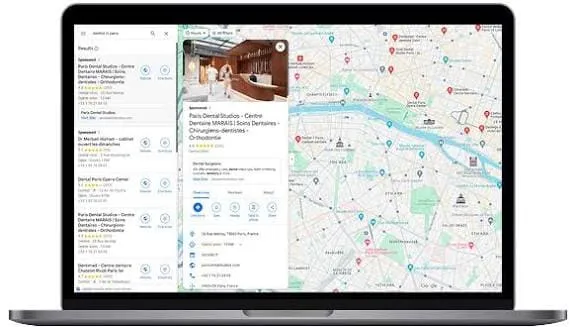
When a user searches with local intent, such as “dentist nearby,” “tire shop Kyiv” or “coffee shop near me,” Google shows a special block: a map with three businesses, their reviews, phone number and directions. This block is called the local pack. It sits above the regular blue links and takes most of the clicks and calls.
The key difference: in regular results a website page ranks, while in local results it’s the business listing in Google Business Profile. Even without a strong website, a company can reach the top of Maps if its profile is complete, verified and relevant to the query. And the reverse: a strong site without a profile won’t get into the local pack.
Another distinctive feature is proximity. Google takes into account where the user physically is, so the “top” in local results shifts: two people in different parts of the city will see different results. The goal of local SEO is not to hold a static position but to consistently appear in the top 3 across your entire service area.

Setting up Google Business Profile step by step
Your Google Business Profile (formerly “Google My Business”) is the foundation. Go through it step by step:
- Create a profile or claim it. If the listing already exists (Google may have created it automatically), verify that you are the owner.
- Choose the primary category as precisely as possible: “Dental clinic” works better than a vague “Medical center.” Add secondary categories for related services.
- Fill in NAP: Name, Address, Phone. The name, address and phone number must match your website and other directories letter for letter: inconsistencies confuse Google and lower trust.
- Enter exact business hours and special holiday hours.
- Describe your services and products, add approximate prices and an informative description that mentions the city and neighborhood.
- Upload quality photos and videos: storefront, interior, team, work samples. Profiles with photos get noticeably more clicks.
- Fill in attributes (parking, accessibility, card payment, Wi-Fi): they help you show up for refined queries.
- Complete verification (by mail, phone or video). An unverified profile doesn’t rank.
- Keep the profile active: publish posts, answer questions in the Q&A section, update information.
Google Maps ranking factors
Google officially names three groups of factors: relevance, distance and prominence. Specific signals stand behind them.
| Factor | What it means | How to strengthen it |
| Relevance | How well the profile matches the query | Precise category, services, description, keywords in the profile |
| Distance | How close the business is to the user | Exact address, service areas, local pages on the website |
| Prominence | How authoritative and visible the business is | Reviews, local backlinks, mentions, profile activity |
| Reviews | Number, freshness, rating, responses | Systematic collection, replies to every review |
| Behavioral signals | Clicks, calls, direction requests, website visits | Attractive photos, a complete listing |
Prominence is the only factor you can systematically influence from outside the profile. This is where reviews and local backlinks come in.
How to get Google reviews
Reviews are one of the strongest signals and the main driver of clicks. What works:
- A short review link (Google generates it in the profile): share it via a QR code, receipt, SMS or messenger.
- Ask for a review at the moment of peak satisfaction: right after a successful service.
- Reply to every review, including negative ones: replies show Google that you’re active and show customers that the business is alive.
- Don’t buy fake reviews. Google detects manipulation by patterns, and penalties hit the whole listing. It’s a “gray” method with real risk; honest collection is more reliable.
Local backlinks: where to get them and why
Links raise “prominence,” the same ranking factor mentioned above. For a local business, local and topical donors are the valuable ones:
- Local and industry directories, business listings.
- Local media and city blogs: a mention in an article or news piece.
- Industry forums and communities: crowd marketing works especially naturally here, since a genuine recommendation in a “can anyone recommend a car repair shop in…” thread carries more weight and brings in a customer.
- Partners, suppliers, sponsorship of local events.
Before placing a link, assess the site’s quality; there is a separate breakdown on how to check site trust and choose a donor. Our local SEO service helps build local backlinks manually for your niche and city. And we cover the general logic of backlinks in our core article what link building is.
Local pages on your website
The profile doesn’t work in a vacuum: the website strengthens relevance and gives links a target. What helps:
- Separate pages for each city or service area, with unique copy rather than one template copied over.
- The city and service name in the Title, H1 and body text, naturally, without stuffing.
- A contact block with exact NAP, an embedded map and a clickable phone number.
- LocalBusiness schema markup and reviews right on the page.
- A fast mobile version: local traffic is mostly smartphones at the moment of need.
These local pages are the natural destination for local backlinks: they become target pages and pass weight where it’s needed for ranking.
How to measure results
The good thing about local SEO is that it produces measurable actions, not just abstract rankings:
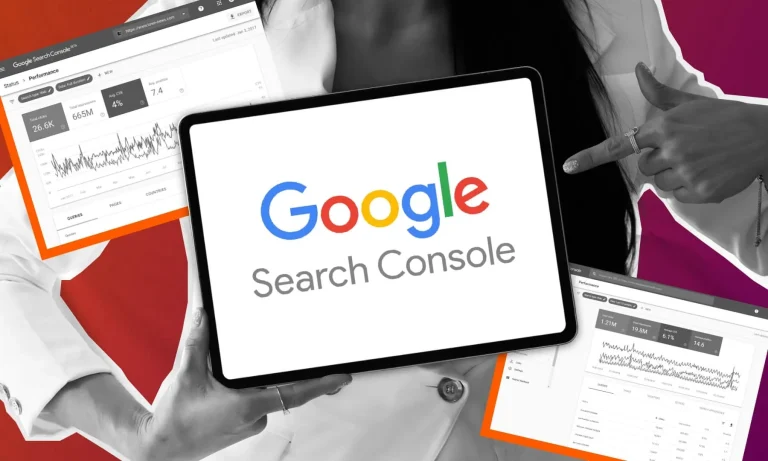
- Profile reports: calls, direction requests, website clicks and messages; track the month-over-month trend.
- Geo-grid rankings: dedicated tools show at which points in the city you’re in the top 3 and where you drop.
- Calls and leads tagged by source: the end metric that all this work is for.
Aim not for “first place in general” but for growth in calls and direction requests from the profile across the entire service area.
Common mistakes
- Duplicate listings for one business: they need to be merged or removed.
- Inconsistent NAP across the website, profile and directories.
- A neglected profile with no posts and no replies to reviews.
- Keyword stuffing in the business name violates Google’s rules and risks suspension.
- Relying on the map alone without working on the website and reviews. This is especially critical for location-dependent niches: see examples for restaurants and venues.
Want to consistently rank in the top 3 of Google Maps in your city? We will set up your profile, build systematic review collection and local backlinks for your niche: discuss a local SEO project.
Prices are approximate and depend on the niche, volume and competition; we will calculate the exact cost for your project.